
Editor
Multi-tab editor with live agent diffs
Syntax highlighting, markdown preview, drag/drop file moves, Git ignore badges. Files mutated by the agent get inline accept/revoke decorations so you can stage changes turn-by-turn before they hit disk.
Plus a file explorer, Teams, YouTube, and Twitch — all docked alongside. Open it tomorrow and you’re back where you stopped.
Installer is per-user, no admin needed. Not yet code-signed — SmartScreen may warn on first download. Mac & Linux builds compile but aren’t QA’d yet.
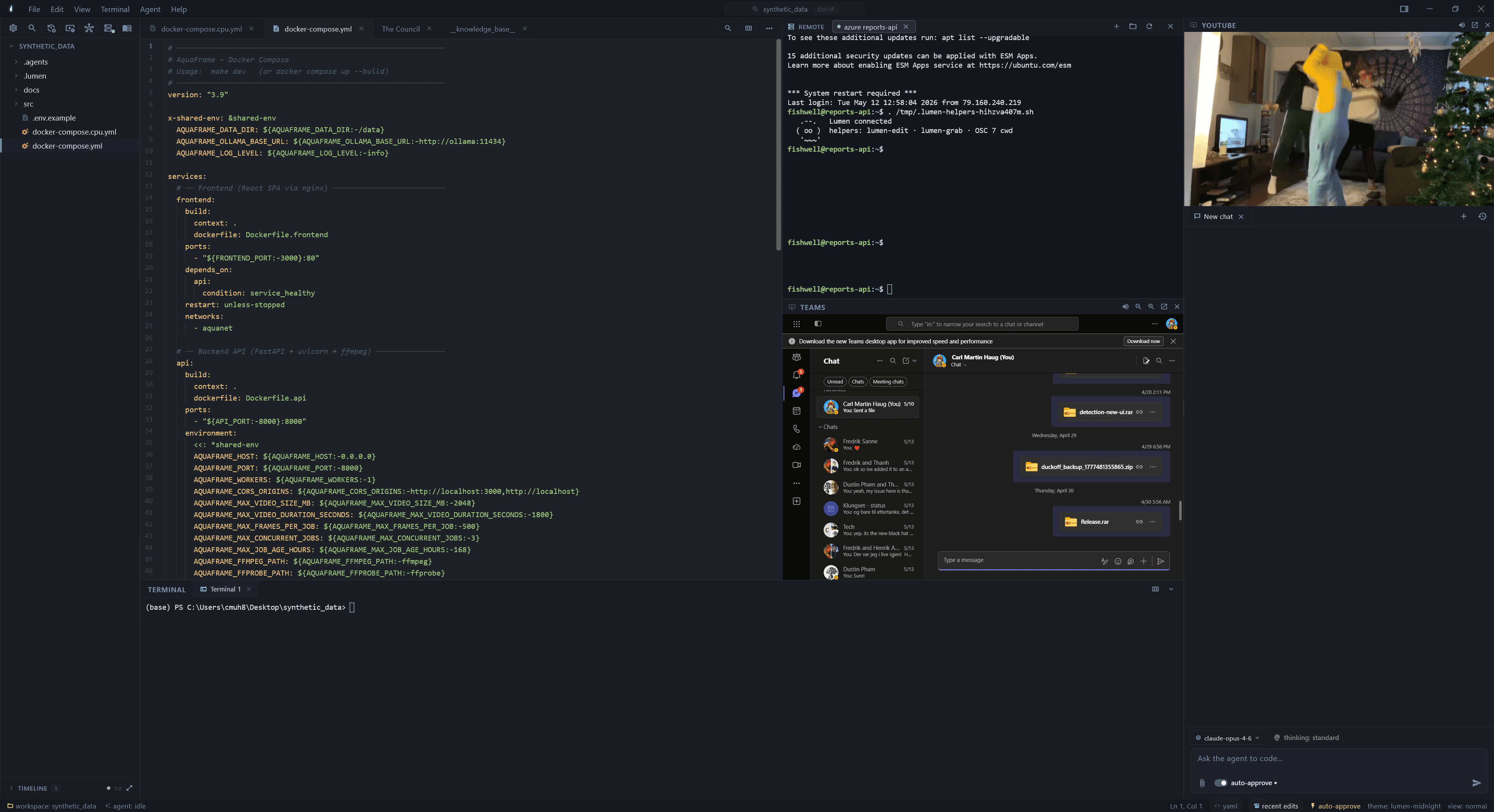
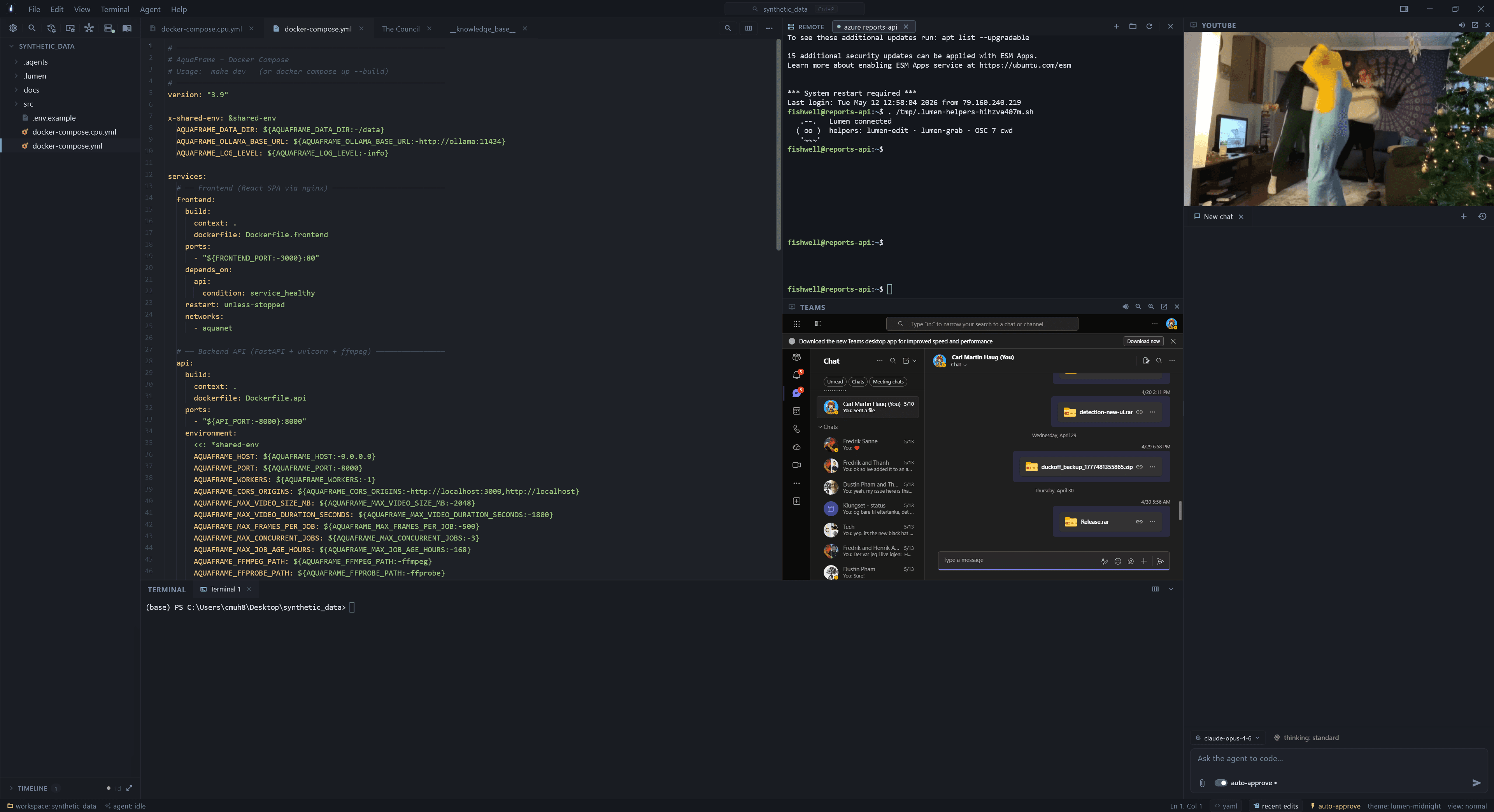
A real session — editor on the left with docker-compose.yml open, the SSH terminal showing the on-connect helpers (lumen-edit · lumen-grab · OSC-7), Teams docked below, and YouTube on the right. Nothing alt-tabbed.
Editor, terminal, SSH, agent chat, Teams, YouTube, Twitch — docked in the same window. Workspace-scoped tab state means closing and reopening lands you where you were.
Free Ollama on your box, or Claude / Gemini / Copilot / any OpenAI-compatible endpoint. Per-tool approvals are persisted per-command, so you approve pip install once.
Workspace skills, rules, and a knowledgebase that auto-injects into every prompt. Plus a file timeline so the question "go back to before the agent broke this" has a one-click answer.
Local Ollama with no API key, the major cloud providers, or any OpenAI-compatible endpoint — including self-hosted gateways.
v1.0.15 ships with all five. Configure as many as you want.
Every feature exists because alt-tabbing got annoying enough to fix. Nothing here is a marketing checkbox.
Syntax highlighting, markdown preview, drag/drop file moves, Git ignore badges. Files mutated by the agent get inline accept/revoke decorations so you can stage changes turn-by-turn before they hit disk.
Ollama (local, free), Ollama Cloud, Anthropic, Gemini, GitHub Copilot via the CLI, and any OpenAI-compatible endpoint. Chip-based file refs, image paste, prompt queueing, per-tool approval that remembers your answer.
Brief in, team out. Architect, researcher, tester, reviewer run through Discovery → Architecture → Build → Review → Polish/Ship phases with a quality gate and a one-shot adversarial critic at the end. Sessions are persisted and browsable.
Real SSH layer, not a plugin. Secrets in OS keystore (DPAPI / Keychain / libsecret). xterm-based remote terminal with OSC-7 cwd tracking. Drag-drop SFTP upload from anywhere — including WinRAR / Gmail web drags. Hard-walled from the agent by default.
Webviews for the things you'd otherwise alt-tab to. Work chat next to the editor. Workspace-scoped tab state so video keeps playing through SSH sessions. Yes it's chromium-on-chromium, no it's not slower than alt-tabbing.
Every workspace gets a .lumen/ and .agents/ folder. Skills the agent can call, project rules silently injected into every system prompt, and a knowledgebase auto-injected on every turn so a six-month project doesn't restart from zero each chat.
Content-addressed blob store plus an append-only journal under <app-support>/lumen/timeline/. Captures agent edits, manual saves, external tool writes, explorer renames. Diff against any past version, restore in one click. "Go back to before the agent broke this" works.
PowerShell Win32_Process on Windows, BSD-style ps on Unix. Preset filters for Node / Python / Java runtimes, a workspace filter that scopes to your folder, and an accurate "Lumen-spawned" view backed by tracked PIDs — not name guessing. Kill with OS reasons surfaced inline.
Every 5min to 24h (your call), Lumen zips the workspace to <app-support>/lumen/backups/. Respects .gitignore + a hardcoded skip list (node_modules, build, .venv, target, etc). Opt-in to git auto-commit and auto-push so a 3am scare isn't a story you tell later.
Polls GitHub Releases once per 12h, surfaces an "Update available" pill in the menu bar. One click downloads the next installer, closes via Restart Manager, runs silent install, reopens. Force-check from Help → Check for Updates.
The agent reaches into the editor and the timeline. It does not reach into your SSH sessions or vaulted credentials. The wall is drawn at the tool registry, not at a prompt boundary.
Real terminal, real SFTP, real vault. The remote pane uses your already-authenticated session for everything — including file browsing, drag-drop uploads, and edit-on-save sync.
Boundary — the agent has zero access to this layer. No host list, no credentials, no live sessions.
The full cycle uses one authenticated SFTP channel. No second login, no temp files, no rsync dance.
Open the SFTP pane. Walks the remote tree from your OSC-7 cwd, with breadcrumbs and a hidden-file toggle.
Click a file. Lumen streams the content into a local editor tab marked as remote-backed.
Edit like any local file. On save, Lumen computes the diff against the remote-baseline buffer.
Diff goes over the existing SFTP channel — no re-prompt for credentials, no separate tool.
Every workspace gets a .lumen/ and .agents/ folder. Skills the agent can call, project rules silently injected into every system prompt, a knowledgebase auto-injected on every turn.
A six-month project doesn’t restart from zero on each new chat — the agent reads what previous sessions learned, and is told to keep it current.
The phase strip you see during a Council run isn’t a progress bar — each phase runs distinct agent roles, with its own quality gate before advancing.
Research the brief, surface unknowns, draft questions.
Plan the work. Slice into subtasks. Assign agents.
Agents pull tasks, work in parallel, mention each other.
Quality gate. Subagents inspect each other's output.
Adversarial critic, final pass, deliverable handed back.
Built in, cross-platform, and aware of what Lumen itself spawned. When a dev server eats a port at 2am, you don’t alt-tab to Task Manager and squint at PIDs anymore.
On shutdown — Lumen hard-kills every PID it tracked, so renegade node / python grandchildren can’t squat on ports after the IDE closes.
The IDE quietly snapshots your workspace to a zip on a schedule you set. Optional follow-through to git add + commit + push — so a forgotten push or a bad edit at 3am isn’t a story you tell later.
Pairs with Timeline — backup is the full-workspace snapshot, Timeline is per-file revision history. Use Timeline to undo a bad edit; use Backup to roll back the whole project.
Real screenshots, not mock-ups. Same Nord-flavoured dark theme that ships in the IDE.
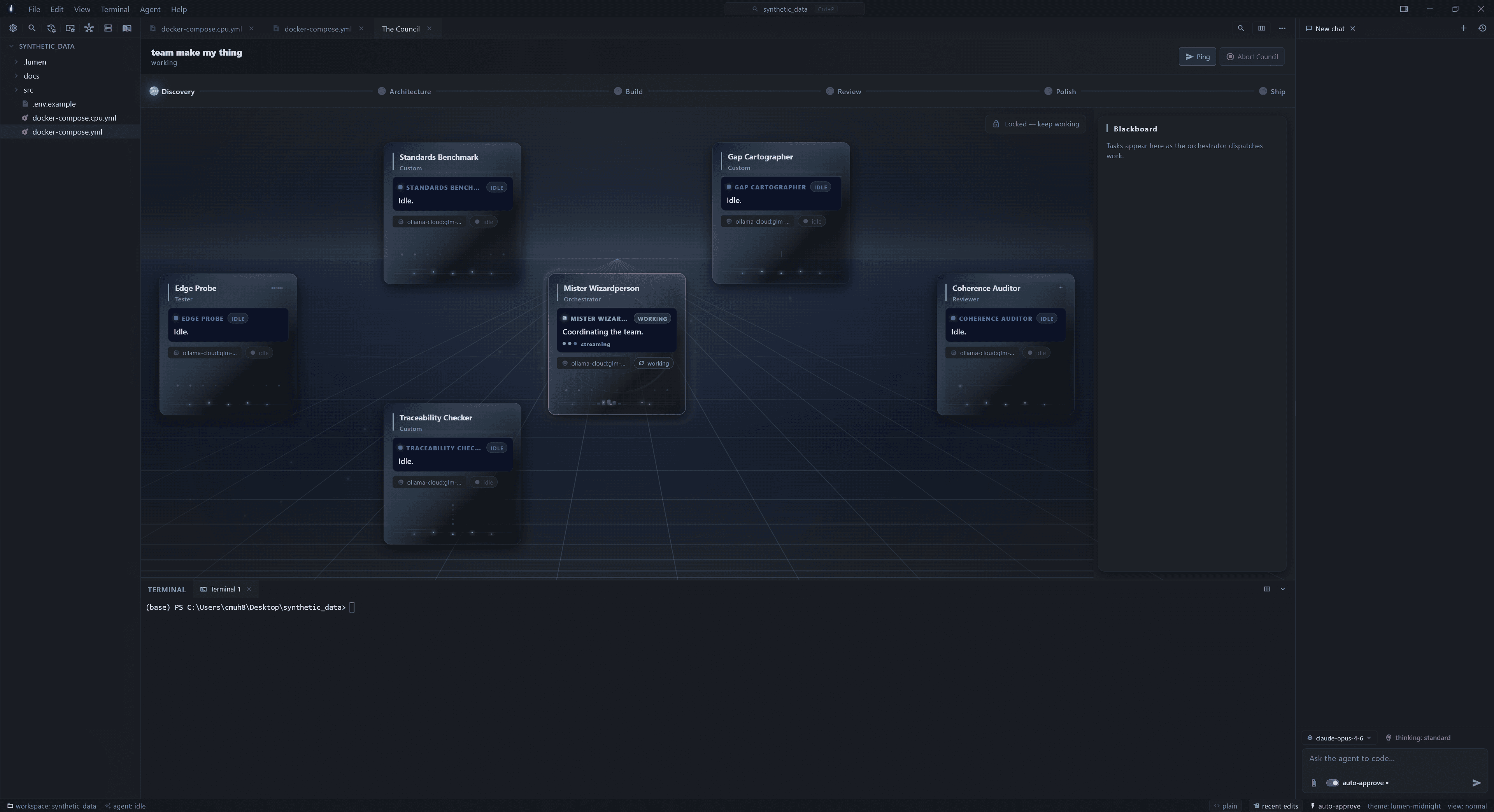
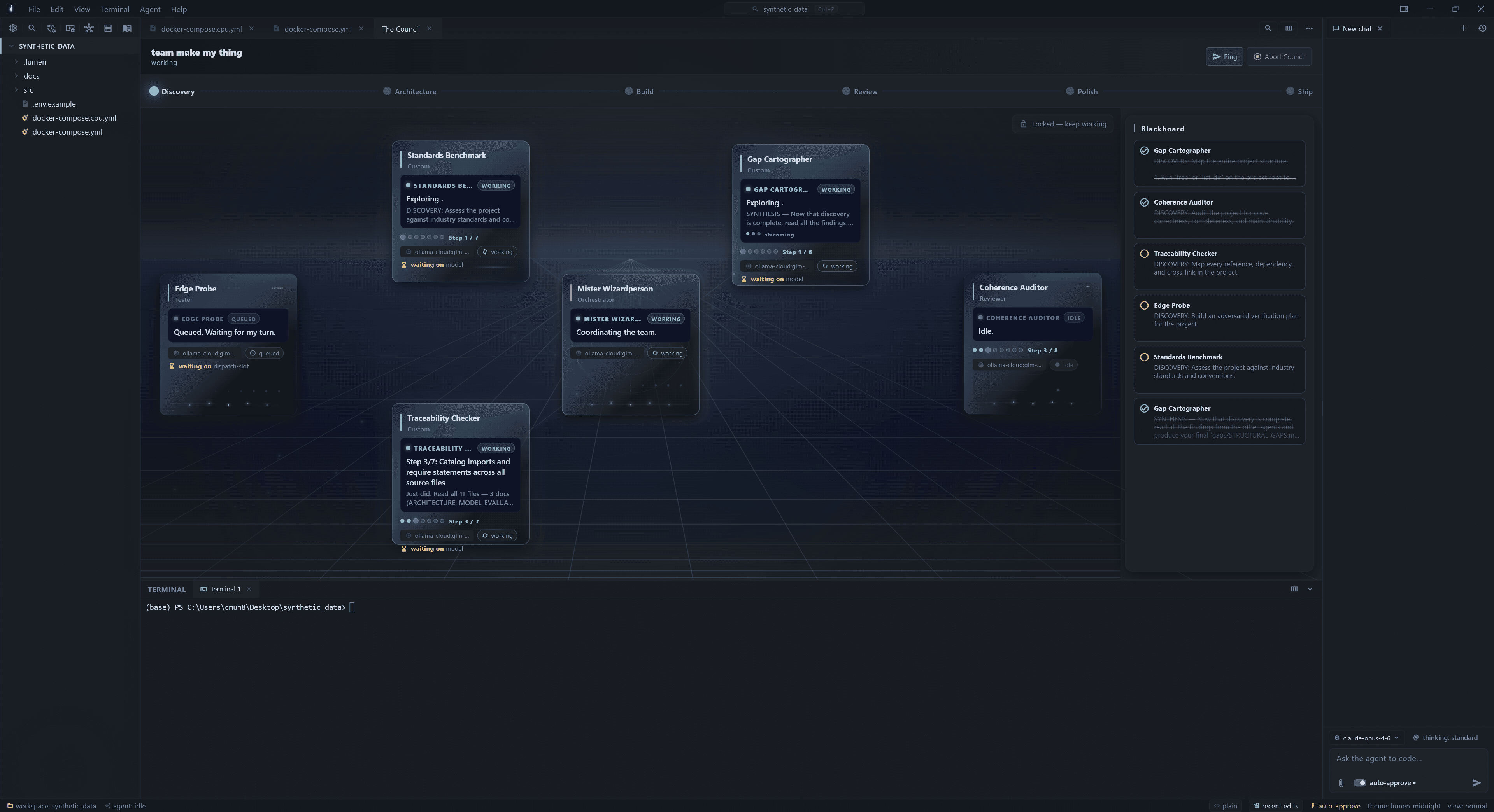
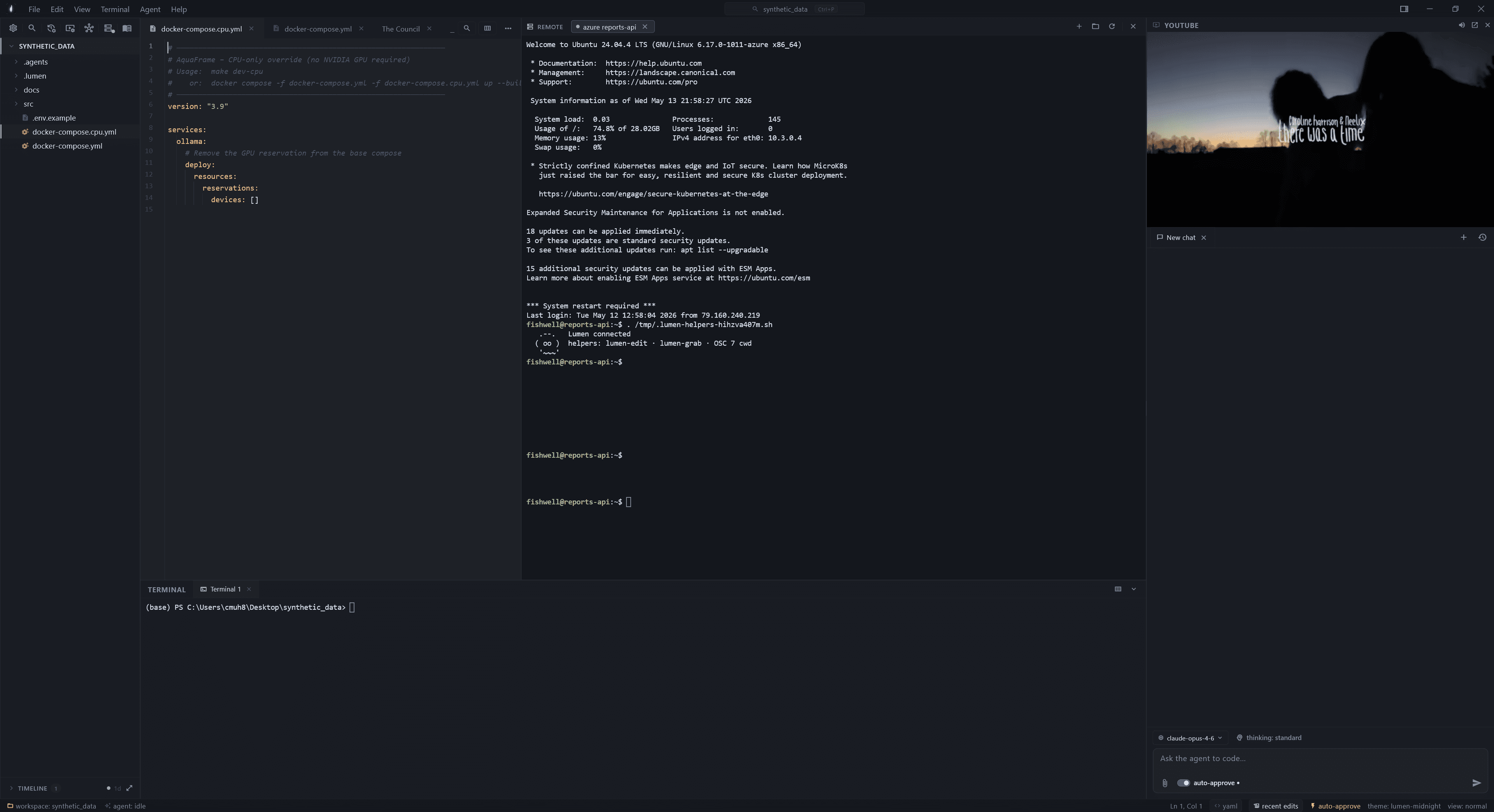
Windows x64 is the supported build. Mac & Linux Flutter scaffolding compiles but isn’t QA’d — build from source if you’re feeling brave.
Per-user install to %LOCALAPPDATA%\Programs\Lumen\. No admin or UAC needed. Auto-updates from the menu bar. Clean uninstall via Apps & Features.
Extract anywhere, run lumen.exe. No auto-update — you’ll grab the next zip manually. Good for thumb-drive installs, shared boxes, or sandboxing.
.lumen/ and .agents/ inside your project — gitignore them or commit them, your call. Nothing is sent to a Lumen server because there is no Lumen server.Lumen is a one-developer project. No VC, no growth team, no marketing budget — just one person who got tired of alt-tabbing and built something better. If any of this resonates, here are four ways to push it further. They go from cheapest to most involved.
The cheapest thing you can do. GitHub stars are how solo projects bubble up in trending and search. One click, three seconds, real signal.
Star on GitHubWord of mouth is the only thing that scales for a one-developer project. If Lumen replaced something you alt-tabbed to a lot, mention it to a friend who alt-tabs the same way.
Share the siteBug, paper-cut, feature you wish existed, model that doesn't quite work, weird font kerning — all welcome. Feedback is what drives the roadmap, not a calendar.
Open an issuePRs welcome. The codebase is modular Dart + Flutter, opinionated but commented honestly. Read the .agents/knowledgebase.md before you start — it explains the boundaries.
Browse the sourceBuilt by one person in the Norwegian fjords. If you found a bug, built something cool on top of it, or just want to say hi — GitHub Discussions is open.